E-commerce Configurator
Live demoWorkspace Builder
A drag-and-drop room builder where renters design a full workspace, see that every item physically fits, and rent it in one checkout.
Sole Developer at monis.rent (concept build) · September 2026
Checkout is a demo: no payment is taken and no data leaves the browser.
101
Catalog Items, Real Sizes
3
Ways to Add: Drag, Tap, Keyboard
3
Layouts: Desktop, Tablet, Phone
Live
Public Demo
At a Glance
- Problem
- Rental catalogs sell items one by one, so customers can't tell if a setup fits on their desk.
- What I built
- A room builder where a tested, centimetre-accurate rules engine checks every drop.
- Result
- A live demo with 101 items on desktop, tablet and phone, and 46 unit tests passing.
Screens
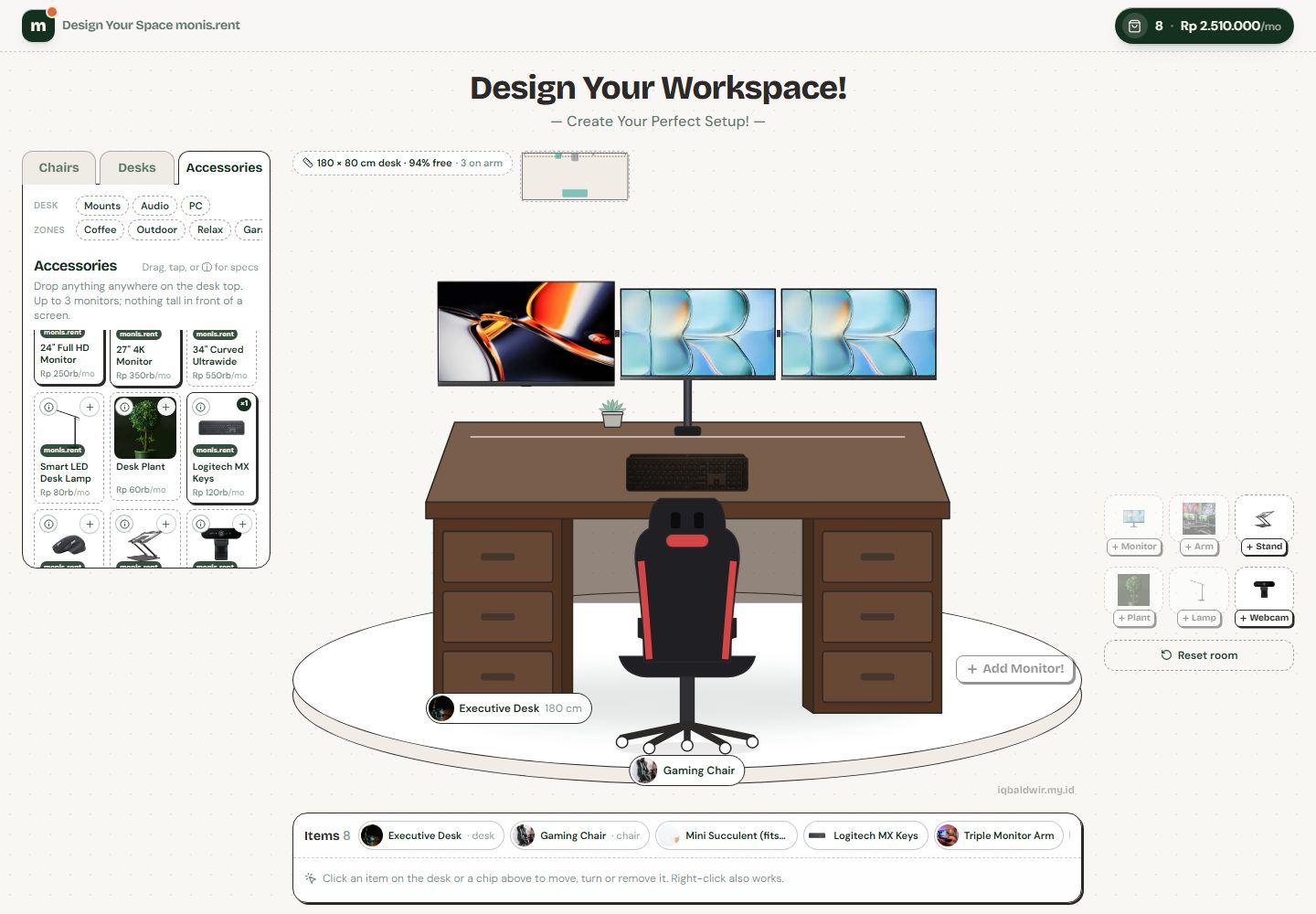 (open full-size Workspace Builder screenshot)
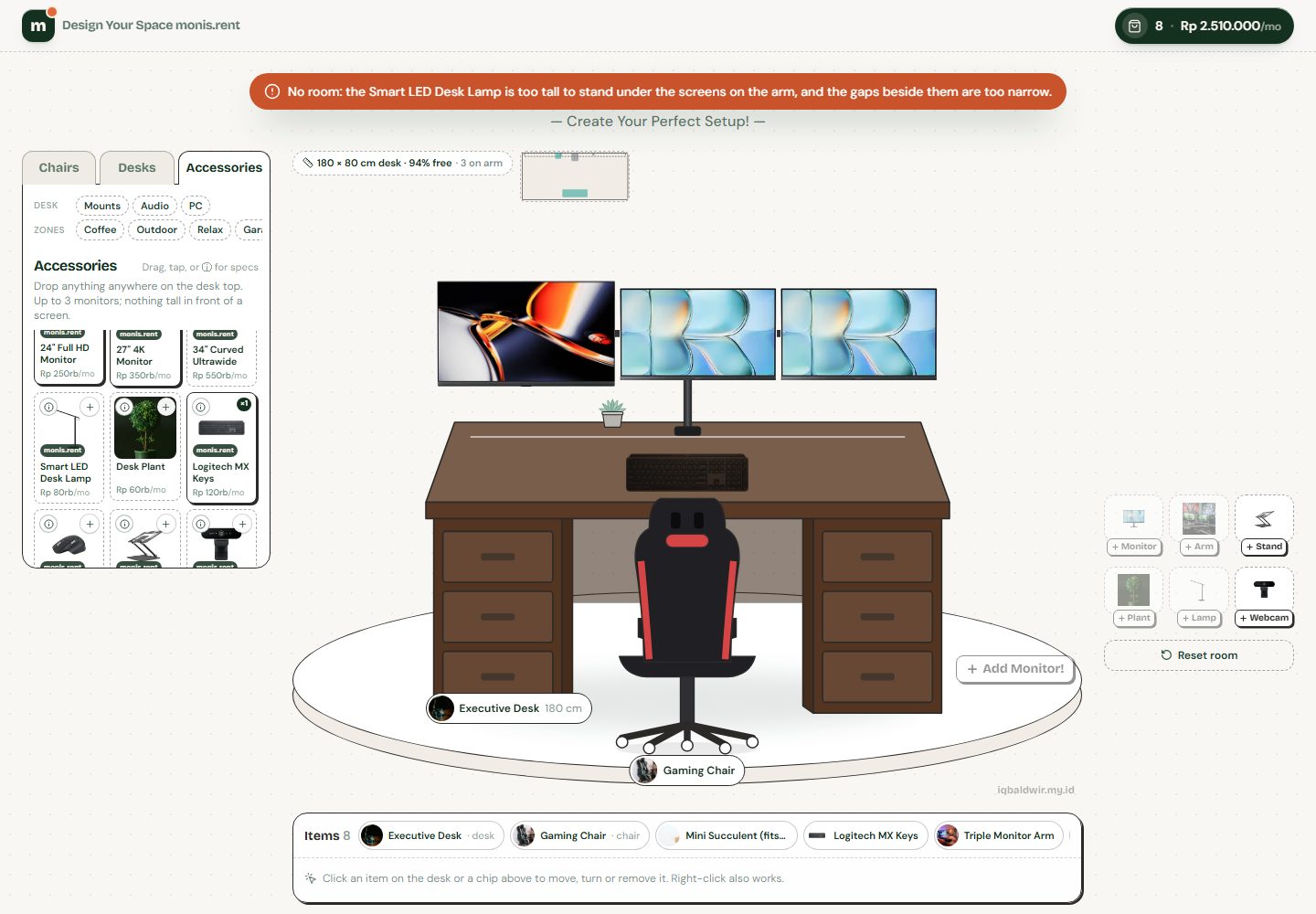 (open full-size Workspace Builder screenshot)
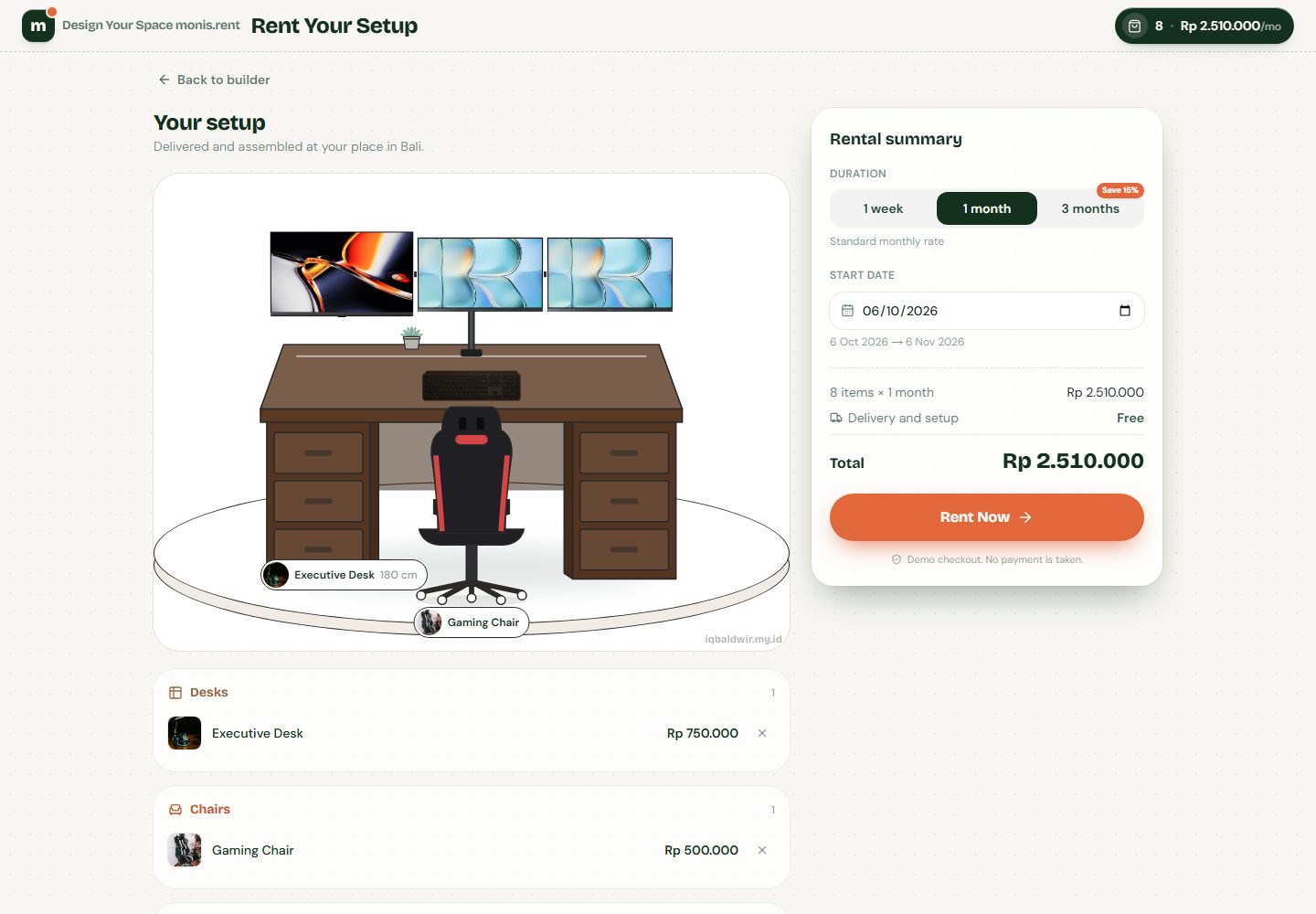 (open full-size Workspace Builder screenshot)
The Problem
Furniture-rental catalogs sell items one at a time, so customers can't tell whether three monitors, a lamp and a plant actually fit on a 120 cm desk.
My Role
Sole developer: the product flow, the placement rules engine, drag-and-drop with keyboard support, the phone layout, checkout, and the unit and end-to-end tests.
Architecture
A client-side configurator: every input goes through one command hook into pure, tested rule functions, and the room renders whatever the store holds.
Customer
Input Methods
Drag with mouse, touch or keyboard (dnd-kit), tap-to-add, and quick-add buttons.
usePlace() Command Hook
The single entry point every input calls. Shows the success or rejection message.
Rules Engine
Pure functions for slots, limits, centimetre-accurate desk fit, arms and clip-ons, each unit tested.
Persisted Store
Zustand store saved to localStorage and hydrated after mount, so server and client HTML match.
Room Canvas & Checkout
Renders the setup live, then prices it by rental duration.
Engineering Decisions
Slots, not free coordinates
Items snap to defined zones; only the desk top uses real centimetres.
Trade-off Less creative freedom, but the rules stay predictable and the builder stays keyboard-navigable.
Rules as pure functions
Placement logic is plain TypeScript with no UI, so it is fast to unit test.
Trade-off More rule code up front, in exchange for tests where the bugs actually are.
A separate phone flow
Phones get a bottom-sheet catalog and tap-to-add instead of a squeezed desktop layout.
Trade-off Two layouts to maintain, both covered by Playwright specs.
What I Built
- Built a rules engine in pure TypeScript that models the desk top in centimetres, with overlap detection, monitor arms, risers and clip-on accessories.
- Made every rejection explain itself, for example that a lamp is too tall to stand under screens on an arm.
- Routed drag-and-drop (mouse, touch, keyboard), tap-to-add and quick-add through one usePlace() hook, so every input follows the same rules.
- Designed a separate phone flow: a bottom-sheet catalog with tap-to-add first and long-press to drag.
- Built checkout with duration pricing (1 week, 1 month, 3 months at 15% off), month-end-safe rental dates and a saved cart.
Constraints
- Every item had to respect its real size, so the cart never holds a setup that can't exist.
- Drag, tap and keyboard input had to agree on what is allowed.
- On phones, dragging competes with scrolling.
Outcome
A live configurator where a tested rules engine checks every placement across 101 items, on desktop, tablet and phone, with 46 unit tests passing.
For Engineers
46
Unit Tests Passing
2
E2E Suites (Desktop, Mobile)
1
Command Hook for Every Input
Every rule returns a reason
lib/rules/place.ts
export function canPlace(placed: Placed[], item: Item, slot: Slot): PlaceResult {
  if (item.slot !== slot) {
    return { ok: false, reason: `${item.name} belongs on ${SLOT_LABEL[item.slot]}.` };
  }
  // ...single-slot swaps for the desk and chair...

  if (slot === 'desk-surface') {
    const desk = placed.find((p) => p.slot === 'desk');
    if (!desk) return { ok: false, reason: 'Pick a desk first.' };

    if (isMonitor(item.id) && monitorsOf(placed).length >= LIMITS.monitors) {
      return { ok: false, reason: `Max ${LIMITS.monitors} monitors. Your neck will thank you.` };
    }
    // ...one-per-desk items, arms, clip-ons, then a centimetre fit check...
  }
}Quality & Security
- 46 unit tests pass across the placement rules, pricing and rental-date logic (Vitest).
- Playwright specs cover the desktop and phone builds, checkout, and no sideways scroll; they fail on any console error.
- Keyboard drag-and-drop with screen-reader announcements; animations respect reduced-motion settings.
- Animation code loads after first paint, and both pages ship as static HTML.
What I'd Do Next
- Connect a real inventory API with live stock.
- Replace the demo checkout with payment or a WhatsApp handoff, with prices recalculated on the server.
- Shareable setup links, preset kits and undo/redo.
Technology
For Clients
Selling products that have to fit together?
What I can build for you, based on this project:
- Product configurators with real-world rules: size, compatibility and limits
- Drag-and-drop builders that work with mouse, touch and keyboard
- Mobile-first checkout with duration or bundle pricing
- Rules covered by unit tests and flows covered by end-to-end tests
Downloads